Championship Manager 01/02 on NixOS and the Steam Deck
Introduction
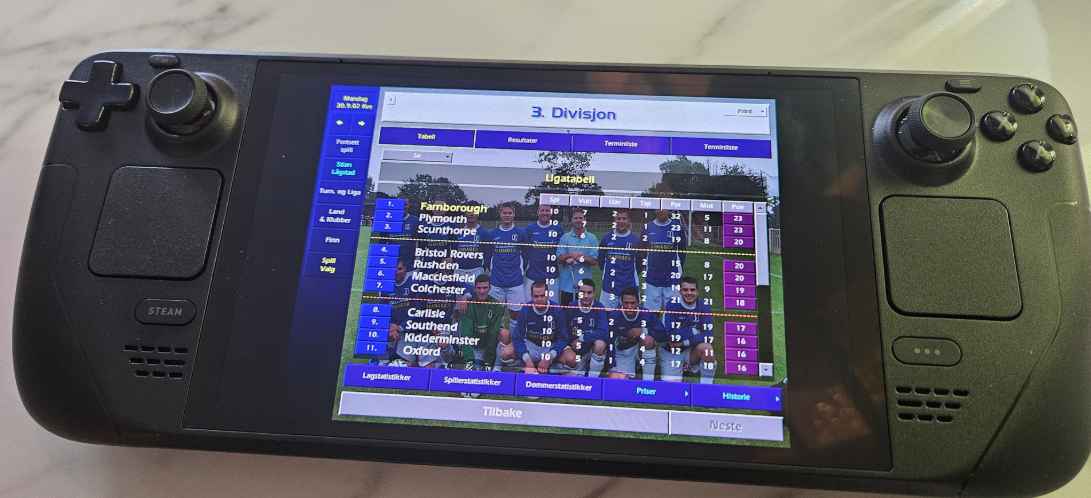
I’m absolutely confident that the game I’ve spent the most hours on in my life is Championship Manager 01/02. The old classic. The GOAT. I still get back to it every few years. I still buy Tsigalko, Brozek, Nikiforenko - all the players overrated by some scout in 2000 or 2001, leading to them being more well known for their skills in a game than for their skills in real life. But I digress! It’s been a few years since I’ve had a Windows machine on my hands, so when I wanted to get back to playing this game again recently, I had to find other ways. Let me take you through how I got this running on NixOS, and then on the Steam Deck.
Downloading and extracting the game
In December 2008, Eidos Interactive, the creator of our favorite game, made it available to download for free. I still have my original CD with the game, and last time I checked it still worked, but having the ISO available easily is very nice. There are many sources you can download it from. Here are a couple of them:
- https://www.fmscout.com/a-championship-manager-0102-free-download.html
- https://champman0102.net/viewtopic.php?t=35
- https://fminside.net/downloads/full-game/170-championship-manager-0102
The ISO that I have has this checksum, in case that’s useful for anyone:
$ md5sum CM0102.iso
44f2eff00e26022a06207c4dd5d7853a  CM0102.iso
Mounting the ISO and installing via Wine
I’m using NixOS, so I’ll get packages using nix, but you can get them however you wish. This is how I mounted the ISO on my system:
mkdir /tmp/cm_mount
nix-shell -p fuseiso --run "fuseiso 'CM0102.iso' /tmp/cm_mount"
After mounting, we can see that the “CD” is available:
$ ls -ahl /tmp/cm_mount
Permissions Size User Date Modified  Name
.r--r--r--  297k root 23 feb.   1999 _INST32I.EX_
.r--r--r--   28k root 27 okt.   1998 _ISDel.exe
.r--r--r--  958k root 24 sep.   2001 _sys1.cab
.r--r--r--  7,3k root 24 sep.   2001 _sys1.hdr
.r--r--r--  118k root 24 sep.   2001 _user1.cab
.r--r--r--  9,1k root 24 sep.   2001 _user1.hdr
.r--r--r--   50k root 10 sep.   2001 autorun.exe
.r--r--r--    27 root 20 juni   2001 autorun.inf
.r--r--r--  7,1M root 24 sep.   2001 cm0102.exe
.r--r--r--  7,1M root 24 sep.   2001 cm0102_GDI.exe
.r--r--r--   117 root 19 okt.   1999 CONFIG.AFP
.r--r--r--   124 root 24 sep.   2001 DATA.TAG
.r--r--r--  275M root 24 sep.   2001 data1.cab
.r--r--r--   86k root 24 sep.   2001 data1.hdr
dr-xr-xr-x     - root 10 juli   2008 directx
.r--r--r--     1 root 19 okt.   1999 EVWF.AFP
.r--r--r--   55k root 20 juni   2001 ip.exe
.r--r--r--     1 root 19 okt.   1999 KPWN.AFP
.r--r--r--   24k root 12 jan.   1999 lang.dat
.r--r--r--  598k root 17 sep.   2001 langtool.exe
.r--r--r--   829 root 24 sep.   2001 layout.bin
dr-xr-xr-x     - root 10 juli   2008 MANUAL
.r--r--r--   450 root 27 juli   1998 os.dat
.r--r--r--     1 root 19 okt.   1999 PWQE.AFP
.r--r--r--  180k root 18 juli   2001 setup.bmp
.r--r--r--   74k root 12 jan.   1999 Setup.exe
.r--r--r--   117 root 24 sep.   2001 SETUP.INI
.r--r--r--   59k root 21 sep.   2001 setup.ins
.r--r--r--   104 root 24 sep.   2001 setup.lid
dr-xr-xr-x     - root 10 juli   2008 setupdir
.r--r--r--     1 root 19 okt.   1999 SPBB.AFP
And with this, we’re ready to launch the installation using wine:
nix-shell -p wineWowPackages.stable --run "wine /tmp/cm_mount/setup.exe"
At this point it’s important to also install the wine-mono package. We’ll need this later, to patch the game a bit:
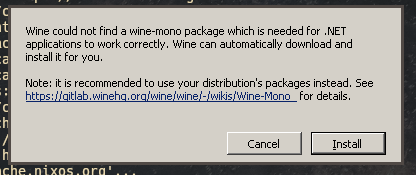
I chose all the default options while installing the game. When done, the game can be launched like this:
nix-shell -p wineWowPackages.stable --run "wine '/home/stian/.wine/drive_c/Program Files (x86)/Championship Manager 01-02/cm0102.exe'"
Getting past the CD check
The original game requires the CD to be inserted into the computer. We don’t have the CD, and I don’t even have a CD or DVD rom on the laptop. So how to get past this?
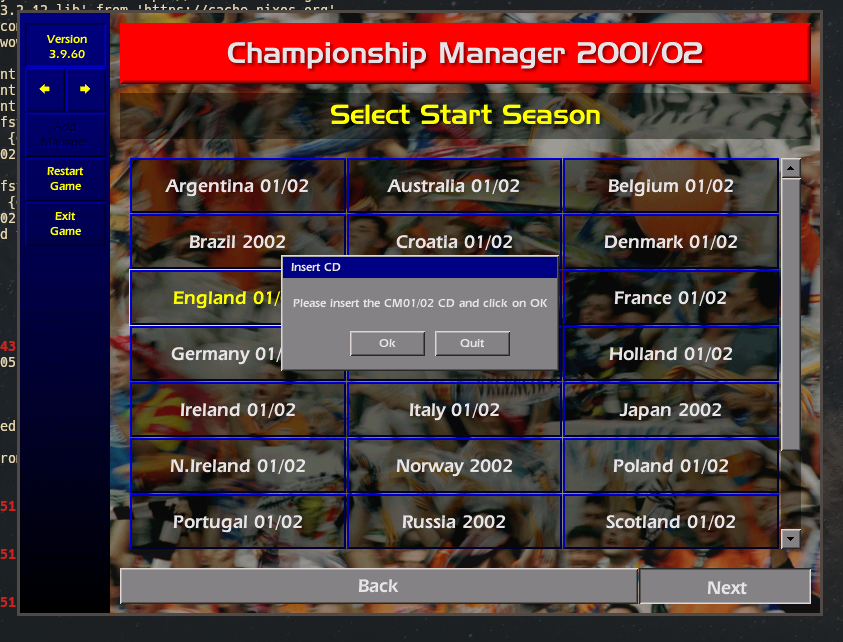
The solution is to use winecfg to trick the game into thinking that the ISO is available. Open it like this:
nix-shell -p wineWowPackages.stable --run "winecfg"
And then go to the Drives tab, click “Add”, and then:
- Set Letter to
D, and click ok - Set Path to:
/tmp/cm_mount - Click Show Advanced and set Type to
CD-ROM - Click OK → Apply
With this, the game will think that the CD is inserted and the check will allow you to continue.
Do note though that this is a temporary workaround. You’ll need the ISO mounted every time you want to play. If you’d rather not bother with that, the next section covers how to remove the CD check entirely.
Removing the CD requirement (no-CD patch)
You might be happy keeping the ISO mounted, and having wine configured to “mount it further” for the game, but it’s also possible to disable the cd-checker entirely. I tried to use Nick’s CM0102Patcher for this purpose, but I couldn’t get it to work. What I ended up getting working was to download an already-patched exe from GameCopyWorld. You know what they say: Random .exe’s from the web is how to do it! I replaced the .exe in the game folder (for me: /home/stian/.wine/drive_c/Program Files (x86)/Championship Manager 01-02/cm0102.exe) with that one.
Patching to v3.9.68
The original game was, for some reason, a version with the version number v3.9.60. The last official patch for the game was v3.9.68. Applying this patch is recommended to avoid certain known issues. It can be downloaded from the champman forums. I applied the patch like this:
nix-shell -p wineWowPackages.stable --run "wine '/home/stian/Sync/cm0102/SI-Games-Patch-v3.9.68.exe'"
Adding your search lists and tactics
If you happen to have some old .pls files stored, it’s easy to copy them into the correct location to make it possible to load them up ingame. Do it like this:
cp "england-starter.pls" "/home/stian/.wine/drive_c/Program Files (x86)/Championship Manager 01-02/search/"
Then, ingame, you can go to:
- (manager name)
- -> Spiller og ledersøk
- -> Liste (tab at the top left)
- -> Søk (dropdown)
- -> Hent And use it.
The process for tactics, stored as .tct files, is very similar:
cp "iodineCF.tct" "/home/stian/.wine/drive_c/Program Files (x86)/Championship Manager 01-02/tactics/"
Tweaking the game with CM0102Patcher
Nick’s CM0102Patcher is a very nice tool that can be used to apply various patches to the game. Start it like this:
nix-shell -p wineWowPackages.stable --run "wine '/home/stian/.wine/drive_c/Program Files (x86)/Championship Manager 01-02/CM0102Patcher.exe'"
And you’ll get a window like this:
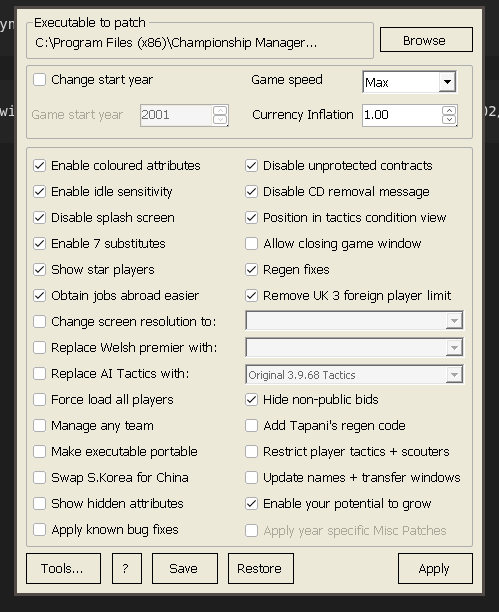
I recommend:
- setting the game speed to max
- enabling coloured attributes
I tried enabling most of these things at first, but then I got into problems launching and/or playing the game. Your mileage may vary.
Steam Deck
I had never SSHed to my Steam Deck before, so first I had to
- Open desktop mode
- Open Konsole, to get a terminal
- Run
ip ato see the IP of the Steam Deck on my local network - Run
passwdto set the password for thedeckuser
After having done that, I could SSH to the deck from my laptop and create a folder for the game like this:
ssh deck@<steam-deck-ip>
mkdir -p /home/deck/Games
From my laptop, I then copied the whole game folder over:
scp -r '/home/stian/.wine/drive_c/Program Files (x86)/Championship Manager 01-02' deck@192.168.68.141:/home/deck/Games/
Then I added the game to steam as a Non-Steam game like this:
- Switch to Desktop Mode
- Open Steam -> Games -> Add a Non-Steam Game to My Library
- Click Browse, navigate to the folder, and select
cm0102.exe - Click Add Selected Programs
Then go out of desktop mode, and
- In your Steam library, right-click the new entry -> Properties
- Go to the Compatibility tab
- Check Force the use of a specific Steam Play compatibility tool
- Pick a Proton version (I selected Proton 11 Beta or something like that)
And at this point it should work!